



All good things must come to an end, even Windows 7. After January 14, 2020, Microsoft will no longer provide security updates or support for PCs running Windows 7. Windows 7 workstations must either be upgraded or replaced.
Windows 10 Upgrade versus Replacement Criteria
Below is the criteria used to make recommendations if a computer running an older version of Windows, such as Windows 7, should be replaced or can be upgraded. This criteria is consistent with industry standard recommendations.
|
Factor
|
Upgrade or Replace
|
|---|---|
| Workstation is 3 years old or newer. | Upgrade |
| Workstation is between 4 and 5 years old, has a solid state hard disk or has at least 8 gigabytes of memory. User doesn't have a history of problems and doesn't report that the computer is "slow" during the majority of their daily tasks. | Upgrade |
| Workstation is 5 years old or older. | Replace |
| Workstation is older than 4 years, doesn't have a solid state hard disk and also doesn't have at least 8 gigabytes of memory. | Replace |
Windows 10 Upgrade Information and Pricing

Microsoft Windows 10 Professional Upgrade
The Microsoft cost for an upgrade license to Windows 10 Professional is $184.71 per computer to be upgraded. A single license can be used to upgrade an older version of Microsoft Windows on a single computer.
Windows 10 Desktop PC Replacement Information
When replacing desktop workstations, you have the choice of a traditional desktop tower or a tiny micro computer. The newer tiny computers reduce electrical consumption, have more memory than traditional desktops, and give back valuable office real estate. Both desktops and tiny PC's maintain a life expectancy of five years (60 months).
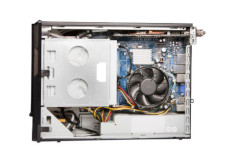
Traditional Desktop Workstation
Reliable performance in a standard sized computer.
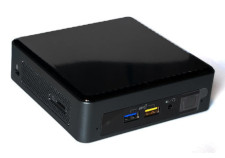
Tiny Micro
Computer
Space saving design and ultra-fast performance with 16 gigbytes of memory.
Desktop Workstation/Tiny PC Compared...
| Desktop PC | Tiny PC | |
|---|---|---|
| WiFi Networking | No | Yes |
| Bluetooth Support | No, Optional | Yes |
| CD/DVD-RW Burner | Yes | Optional |
| Operating Systems | Microsoft Windows 10 Professional |
Microsoft Windows 10 Professional |
| Memory Card Reader/Slot | No, Optional | microSDXC |
| CPU Speed | Intel i5 2.8 Ghz |
Intel i5 2.2 Ghz |
| Power Consumption | 350 watts | 65 watts |
| Total USB Ports | 6 | 6 |
| Solid State Hard Disk Storage Space | 250 gigabytes | 500 gigabytes |
| Weight (pounds) | 21.4 | 4.7 |
| Dimensions (Height, Width, Depth) | 24"x8"x14.7" | 4.53"x4.37"x1.38" |
| USB 3 Ports | 2 | 4 |
| Maximum Memory (RAM) Supported | 16 gigabytes | 32 gigabytes |
| Warranty Period | 1 year (upgradable to 3 year) | 3 year |
| USB 2 Ports | 4 | 2 |
| Standard Monitors Supported (may require adapters) | 2 | 2 |
| Memory (RAM) | 8 gigabytes | 16 gigabytes |
| Wired Network Connection Speed | 10/100/1000 Gigabit |
10/100/1000 Gigabit |
| Current Realtime Price | $898.56 | $1154.68 |
Windows 10 Laptop Replacement Information
When replacing a laptop, you typically have the choice between a traditional, full featured laptop or a modern, thin, all-in-one Surface. Surface's are designed to be used as a tablet or a laptop, are typically thinner, and have longer battery life.
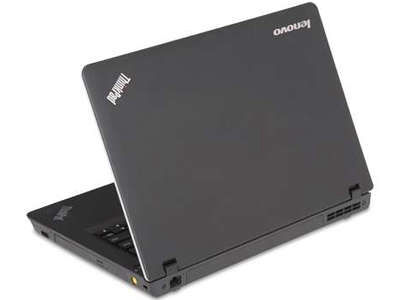
Traditional Laptop
Reliable laptop performace. Excellent choice when a business workstation that's also portable is needed.
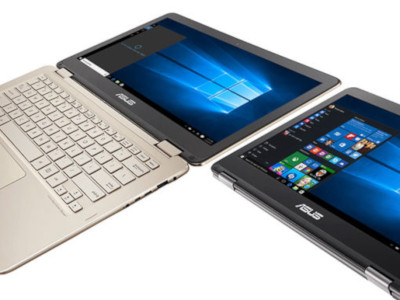
Surface
Ultra-light laptop with full keyboard and flippable screen so that the laptop can be used as a Windows touch screen tablet as well.
Laptop/Surface Compared...
| Laptop | Surface | |
|---|---|---|
| Dimensions (Height, Width, Depth) | 0.78” x 14.52” x 9.94” | 0.3” x 11.5” x 7.9” |
| Weight (pounds) | 4.68 lbs | 1.72 lbs |
| Power Consumption | 65 watt | 44 watts |
| Display Size | 15.6” FHD (1920 x 1080) IPS anti-glare | 12.3” (2736 x 1824) PixelSense |
| External Monitors Supported | 1 | 1, with adapter |
| CPU Speed | i5-8265U 1.6Ghz | i5-8250u 1.6ghz |
| Memory (RAM) | 8 gigabytes | 8 gigabytes |
| Hard Disk Storage Space | 1 terabyte Spinning Hard Drive | 256 gigabyte Solid State Hard Drive |
| CD/DVD-RW Burner | Optional | Optional |
| Wired Network Connection Speed | 10/100/1000 Gigabit |
0 |
| Operating Systems | Microsoft Windows 10 Professional | Microsoft Windows 10 Professional |
| Maximum Memory (RAM) Supported | 32 gigabytes | 8 gigabytes |
| Memory Card Reader/Slot | No | microSDXC |
| Total USB Ports | 4 | 1 |
| USB 2 Ports | 0 | 0 |
| USB 3 Ports | 4 | 1 |
| USB 3.1 Ports | 0 | 0 |
| USB Type-C | 1 | 1 |
| Bluetooth Support | Yes | Yes |
| WiFi Networking | Yes | Yes |
| Warranty Period | 1 year | 1 year/3 year battery |
| Price | $943.73 | $1986.34 |

